
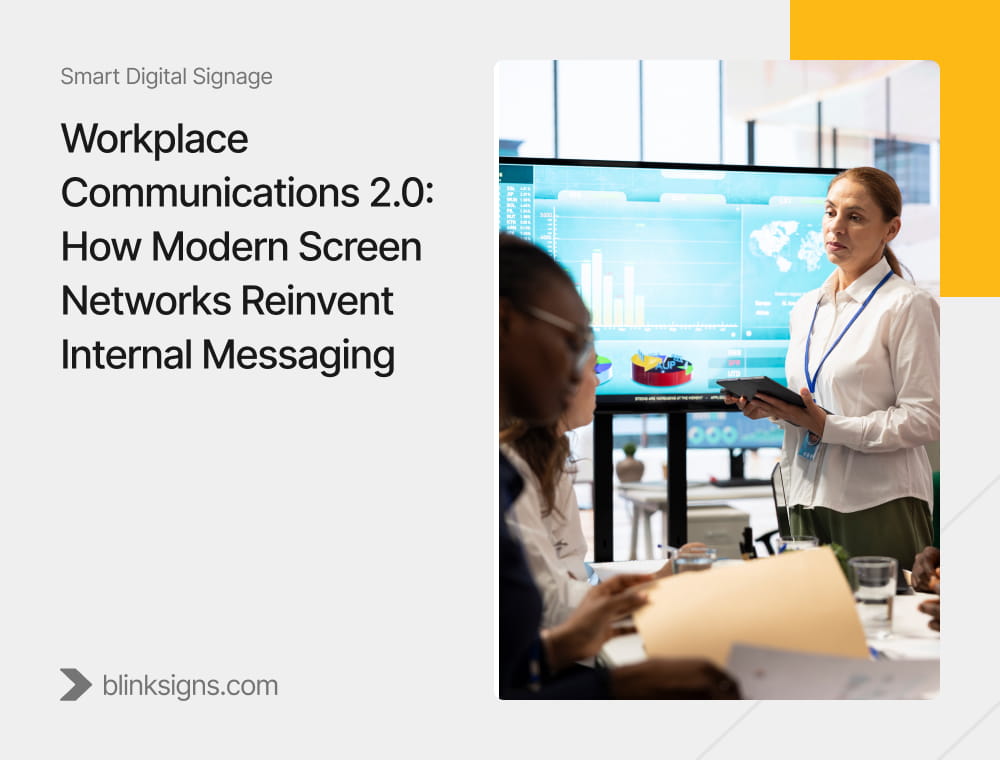
Workplace Communications 2.0: How Modern Screen Networks Reinvent Internal Messaging
Workplace communication is no longer about sending messages. It is about ensuring messages are seen, understood, and acted upon at the exact place and moment where work happens.
Modern screen networks ensure that internal messages are not just distributed, but delivered at the exact location where employees work, without requiring any action on their part.
What Is Workplace Communications 2.0?
Workplace Communications 2.0 is the shift from channel-dependent, push-based messaging to environment-embedded visibility delivered through connected screen networks. Traditional systems measure success by whether a message was sent. Workplace Communications 2.0 measures success by whether a message was seen, understood, and acted upon at the point where work happens, without requiring employees to actively check communication tools.
This shift transforms communication from a distribution function into an execution system embedded directly within the workplace environment. Messages are no longer dependent on inbox timing, notification fatigue, or user behavior. They are delivered where work happens.
Why Traditional Internal Messaging Fails
Most organizations do not have a communication problem. They have a visibility problem.
Email, intranet platforms, and collaboration tools increase the number of ways messages can be sent. They do not ensure that messages are actually seen by the employees who need to act on them.
More communication channels do not solve internal communication problems. They compound them.
The Message Decay Curve
| Channel | Peak Visibility Window | Decay Pattern |
| Slack / Teams | Minutes | Buried in message streams |
| 2–4 hours | Declining open rates | |
| Intranet | Days | Requires active navigation |
| Posters | Weeks | Passive attention loss |
| Screen Networks | Persistent | Controlled by system logic |
The problem is not sending messages. It is how quickly they disappear.
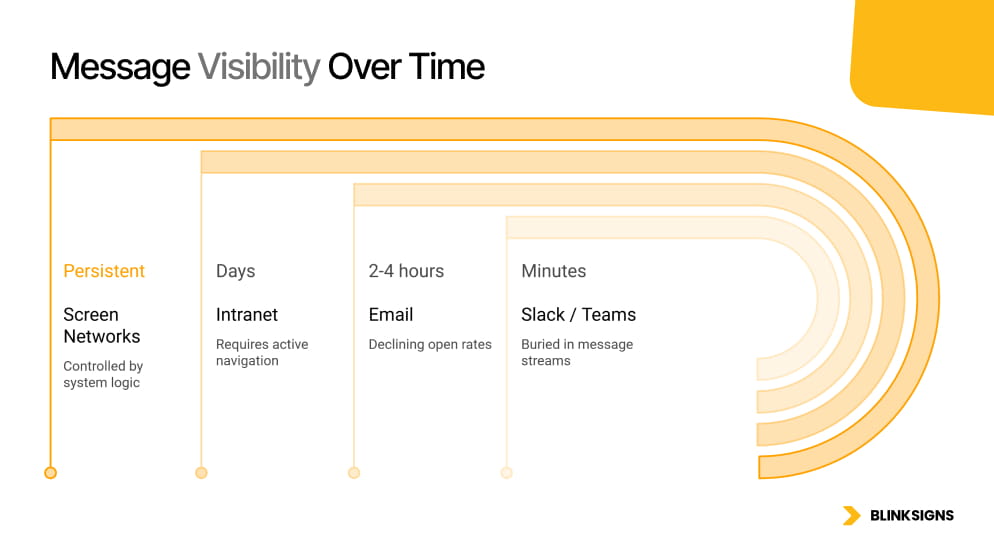
Message Visibility Over Time
What Is the Hidden Cost of Missed Internal Communication?
Internal communication failures are not a messaging issue. They are an operational cost center.
According to Gallup, disengaged employees cost the global economy approximately $8.9 trillion annually, equivalent to 9 percent of global GDP. Communication breakdown is one of the primary drivers.
Cost of Communication Failure
| Failure Type | Operational Impact | Business Cost |
| Missed safety alerts | Incidents, compliance issues | Legal risk, downtime |
| Production misalignment | Delays, rework | Output loss |
| KPI invisibility | Lack of awareness | Underperformance |
| Cultural silence | Missed recognition | Disengagement |
Every message that fails to reach the right employee at the right moment is not a communication miss. It is a measurable business loss.
What Does a Modern Screen Network Actually Do?
Workplace communication systems fail at execution, not distribution.
Internal Communication Stack
| Layer | Channel | Role |
| Distribution | Sends message | |
| Collaboration | Slack / Teams | Enables discussion |
| Execution | Screen Networks | Drives action |
Every major organization has already solved the distribution layer. Email reaches inboxes. Slack delivers notifications. Teams logs every update. The distribution problem is largely solved, and yet communication continues to fail at scale.
That failure does not occur in distribution. It occurs in execution, at the final step, where a message must move from a digital channel into the physical environment where an employee can act on it. Screen networks operate at this final layer. They do not compete with email or collaboration tools. They complete the communication system by ensuring messages are visible at the exact place and moment where work happens, without requiring employees to actively engage with a channel.
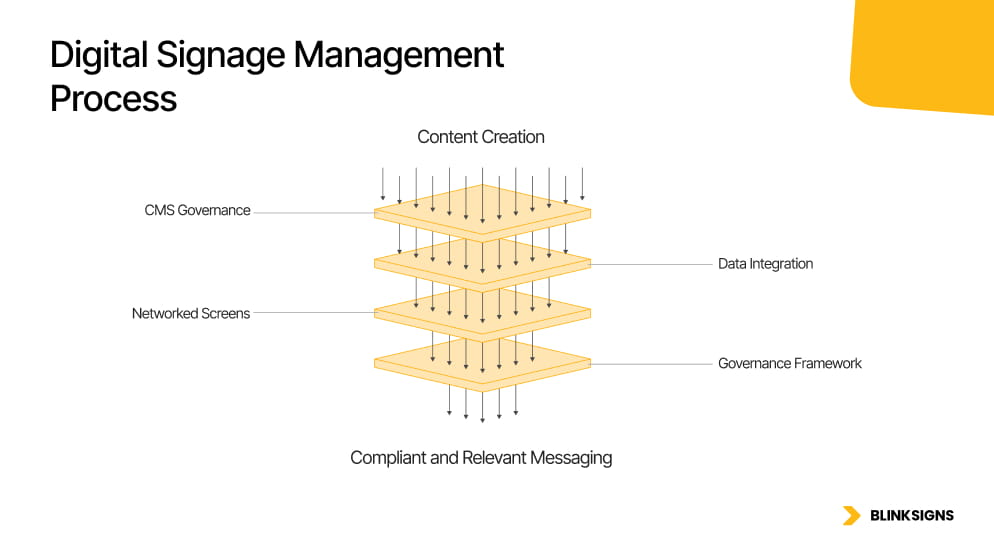
Workplace Screen Network Architecture™
Core Layers
Networked Screens
Physical displays are deployed across operational zones and managed as a unified system rather than as isolated endpoints. This allows organizations to deliver consistent messaging across locations while maintaining local relevance through zone-based targeting.
Content Management System (CMS)
A centralized control layer that governs scheduling, approvals, and publishing workflows. It ensures that messages are consistent, timely, and compliant across every screen in the network.
Data Integration Layer
Live connections to ERP, HRIS, Power BI, and operational systems automatically display real-time information on screens. This removes the need for manual updates and transforms screens into operational dashboards.
Governance Framework
Role-based permissions define who can publish content, where it appears, and under what conditions. This ensures accountability, compliance, and control across multi-location deployments.
Workplace Communication System Flow
Message Created
→ Distributed (Email / Slack)
→ Displayed (Screen Network)
→ Seen (Time-to-Visibility)
→ Understood
→ Acted Upon
→ Measured
→ Optimized
Where Screen Networks Deliver the Highest Impact

Digital Screens in retail and restaurants
Manufacturing
Real-time production metrics and safety alerts improve alignment across shifts and reduce delays caused by information gaps.
Retail
Staff receive synchronized updates on promotions, pricing changes, and daily targets, ensuring consistency across locations.
Logistics
Time-sensitive updates reduce delays, improve coordination, and increase throughput efficiency.
Corporate Offices
KPI dashboards and leadership communication create passive visibility and alignment across departments.
Why Screen Networks Are Critical for Deskless Workers
According to the International Labor Organization, approximately 80% of the global workforce is classified as deskless — working in manufacturing, retail, logistics, healthcare, and field operations without consistent access to email or intranet systems during working hours. These employees represent the largest internal communication gap in most organizations, and the one that traditional digital tools are structurally incapable of solving.
Email requires a device and an inbox. Intranets require a login and deliberate navigation. Screen networks require neither. They deliver communication into the environment where the employee already is.
How Screen Networks Integrate With Business Systems
Screen networks integrate with ERP, HRIS, and business intelligence platforms through CMS-managed API connections. Once configured, live data, including production metrics, shift schedules, and KPI dashboards, is published automatically to designated screens on a defined refresh schedule. This transforms static screen displays into real-time operational interfaces.
What Is Role-Based Visibility?
Not every employee needs every message. They need the right message in the right place.
| Role | Screen Location | Content |
| Frontline workers | Production floor | Safety alerts, KPIs |
| Managers | Supervisor areas | Performance data |
| All employees | Shared spaces | Announcements |
| Executives | Boardrooms | Strategic dashboards |
How Does Emergency Communication Work?
Emergency Capabilities
| Capability | Function |
| Instant override | Control all screens immediately |
| Priority hierarchy | Safety messages take precedence |
| Time-to-Live (TTL) | Auto-expiring alerts |
| Audit logs | Compliance tracking |
In environments governed by OSHA, ISO 45001, or sector-specific safety regulations, the ability to demonstrate timestamped emergency message delivery with audit log confirmation is not a feature differentiator. It is a compliance requirement. Emergency override capability must be tested, documented, and audited before deployment — not after an incident. Organizations that treat this as optional expose themselves to operational and regulatory risk.
Why Screen Networks Are Infrastructure, Not Tools
When a procurement team evaluates a communication tool, they ask what it does. When they evaluate infrastructure, they ask what would break if it were not there. Screen networks belong in the second category.
When the execution layer is absent, communication is distributed but not delivered. Messages are sent but not seen. The cost of that gap accumulates across every shift, every location, and every missed alert.
Tools are optional. Infrastructure is not.
How Do You Measure ROI?
Internal Communications Attribution Stack™
| Level | Metric | Definition |
| 0 | Time-to-Visibility | Speed of exposure |
| 1 | Reach | Employees exposed |
| 2 | Engagement | Interaction levels |
| 3 | Comprehension | Understanding |
| 4 | Behavior | Actions taken |
| 5 | Business Impact | Operational results |
The Behavioral Outcome Loop
Message → Seen → Understood → Acted → Measured → Optimized
The loop is circular by design, ensuring continuous improvement.
Workplace Communication Maturity Model
| Level | Stage | Description |
| 1 | Static | Posters and printed communication |
| 2 | Basic Digital | Standalone screens |
| 3 | Networked | Centralized CMS |
| 4 | Data-Connected | Real-time integration |
| 5 | Intelligent | AI-driven system |
When Should You Deploy Screen Networks?
| Trigger | Signal | Urgency |
| Multi-location operations | Inconsistent message reach | High |
| Deskless workforce above 20% | Frontline employees unreachable | Critical |
| Compliance-heavy environment | Safety communication requirements | Critical |
| KPI-driven operations | Visibility gaps | High |
| Communication failure costs | Incidents, delays | Immediate |
Common Mistakes to Avoid
- Treating screens as marketing displays instead of operational tools
- Lack of governance and role-based control
- No integration with business systems
- Measuring impressions instead of outcomes
- Poor placement and stale content
Frequently Asked Questions
What is Workplace Communications 2.0?
Workplace Communications 2.0 is the shift from channel-dependent, push-based messaging to environment-embedded visibility delivered through connected screen networks. Traditional systems measure success by whether a message was sent. Workplace Communications 2.0 measures success by whether a message was seen, understood, and acted upon at the point where work happens, without requiring employees to actively check communication tools.
Why are screen networks more effective than email?
Screen networks are more effective than email because they deliver communication passively within the physical workplace environment. Email requires employees to check their inboxes at the right time. Screen networks place messages directly in front of employees at the moment work is being performed, removing the need for attention, timing, and behavior — ensuring higher visibility and operational alignment.
What industries benefit most from workplace screen networks?
Industries with operational complexity and deskless workforces benefit most, including manufacturing, retail, logistics, healthcare, and multi-location enterprises. These environments require real-time communication where delays directly impact safety, productivity, and throughput — making screen networks a critical infrastructure layer rather than a supplementary communication tool.
What should be displayed on workplace screens?
Workplace screens should display operationally relevant content, including KPI dashboards, safety alerts, shift schedules, production targets, employee recognition, and company announcements. Content should be segmented by zone and audience — production floor content differs from break room content, which differs from executive zone content — ensuring every screen delivers relevance rather than broadcast noise.
How do you measure internal communication ROI?
Internal communication ROI is measured through the Internal Communications Attribution Stack™ — a six-level model spanning Time-to-Visibility, Reach, Engagement, Comprehension, Behavior, and Business Impact. Unlike traditional metrics such as email open rates, this model tracks whether communication drives measurable operational improvements, including productivity gains, reduced safety incidents, and KPI attainment.
Where should workplace screens be placed?
Screens should be placed in high-traffic operational zones where employees naturally spend time and where communication directly influences behavior — production floors, break rooms, lobbies, corridors, dispatch areas, and supervisor stations. Placement logic should align with the content type, audience, and operational context, not aesthetic preferences or available wall space.
How do screen networks integrate with business systems?
Screen networks integrate with ERP, HRIS, and business intelligence platforms through CMS-managed API connections. Once configured, live data, including production metrics, shift schedules, and KPI dashboards, is published automatically to designated screens on a defined refresh schedule — no manual publishing required, transforming screens from content surfaces into real-time operational interfaces.
What is Time-to-Visibility?
Time-to-Visibility is the time between when a message is created and when an employee first sees it. It is the foundational metric in operational communication environments because it measures speed of awareness rather than volume of messages sent. In safety-critical environments, Time-to-Visibility directly determines whether a communication system meets compliance requirements.
How do screen networks improve employee engagement?
Screen networks improve engagement by ensuring employees are consistently informed without having to actively seek information. By delivering relevant, role-specific updates in real time — recognition, performance data, company news, and operational priorities — they reduce confusion, increase organizational alignment, and create a more transparent workplace that employees trust to keep them informed.
What are the best practices for workplace communication systems?
Best practices include implementing role-based visibility by audience and zone, integrating with live operational data systems, maintaining a governance model with defined approval workflows, refreshing content on a scheduled cadence, testing emergency override capability before deployment, and measuring outcomes rather than impressions. Organizations that treat communication as a governed infrastructure consistently outperform those that treat it as a managed channel.
Conclusion
Organizations that rely solely on traditional communication channels will continue to experience message decay, visibility gaps, and operational inefficiencies.
Screen networks transform communication into infrastructure embedded within the workplace.
The question is no longer whether communication needs improvement; it is whether it needs improvement. It is whether your system ensures messages are seen, understood, and acted upon when it matters most.